
From bank funding to your wallet

How to Buy Bitcoin by Wire and Receive It in a Hardware Wallet

Prepare your Bitcoin receiving address, fund the purchase with the current bank instructions and verify the destination before delivery. Your recovery phrase stays private throughout.
By Crypto Dispensers · Published October 14, 2026

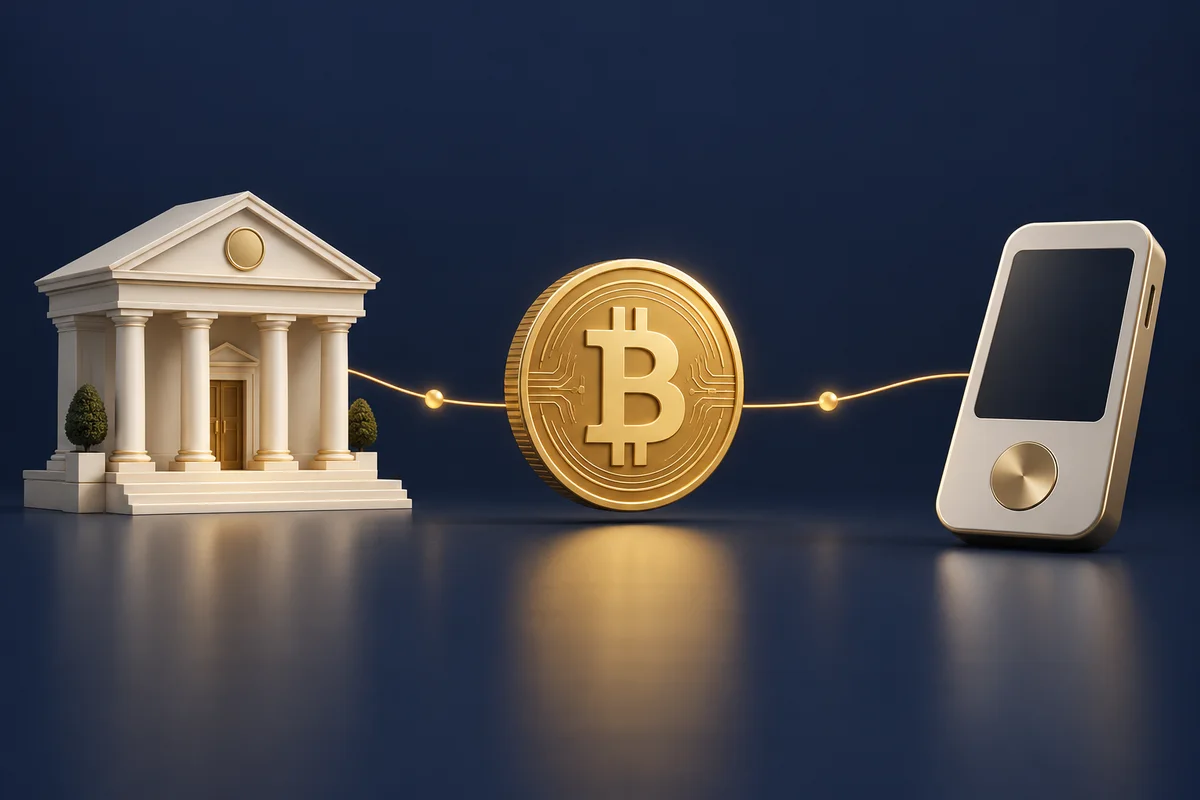
Conceptual illustration of bank funding, a Bitcoin purchase and a hardware wallet.
Original illustration. The practical checks are explained below.

A bank wire funds the purchase. Bitcoin arrives separately.

You cannot send dollars by bank wire to a Bitcoin address. A wire funds your purchase through bank instructions. After the required review and price approval, a separate Bitcoin transaction can deliver BTC to the supported receiving address you provide.

With a hardware wallet, the device helps protect the private keys used to control your Bitcoin. The Bitcoin is recorded on the network, not stored as coins inside the device.

01

Prepare the destination

Set up your wallet and verify a Bitcoin receiving address on your hardware device.

02

Fund your purchase

Use the bank instructions for your current Crypto Dispensers request.

03

Review and receive

Approve the quote and confirmed destination, then track the separate Bitcoin transaction.

Begin with our Bitcoin wire purchase process and confirm that the receiving address and network are supported.

Prepare the hardware wallet before funding.

Follow your wallet manufacturer’s current setup instructions using its genuine app and official website. Complete the backup procedure and understand how you would recover access before arranging a purchase. Do not accept a wallet that someone else has set up with a recovery phrase they know.

Choose a Bitcoin account and the supported Bitcoin receiving network. A BTC purchase is not interchangeable with a token carrying a similar name on another network.

Ask our team if you are unsure whether a destination is supported. A hardware-wallet brand name alone does not identify the asset, network or receiving address. Our hardware-wallet guide explains the ownership responsibilities in more detail.

Ledger: prepare and verify your Bitcoin address.

Use Ledger Wallet, formerly Ledger Live, with your own device. The labels can vary by app and device version.

  1. Open Receive and choose the crypto-address option, if shown.
  2. Select your Bitcoin (BTC) account on the Bitcoin network.
  3. Connect and unlock your device, then open its Bitcoin app when prompted.
  4. Display the receiving address on the device’s secure screen and compare the complete address with the app.
  5. After pasting it into your purchase request, compare the pasted address with the device again. Approve only if it matches.

Use Ledger’s official receive-address steps for the app flow. The receiving-address steps apply here; the separate exchange-withdrawal instructions on that source are not the Crypto Dispensers purchase process.

The check that matters:

Bitcoin account + Bitcoin network + complete address matching your device. A familiar label or the first few characters alone is not enough.

Trezor: choose the account, then verify the address.

  1. Connect and unlock your Trezor. In Trezor Suite, choose Receive.
  2. Select your Bitcoin account. If needed, use the account picker’s network filter.
  3. Copy the receiving address into your purchase request.
  4. Choose Verify in Suite and compare the complete address on your Trezor with the address you pasted.

Follow the official Trezor receiving guide for your desktop or mobile app. The image below is Trezor’s published example, not your address or a Crypto Dispensers account.

Official Trezor example / do not send to this image
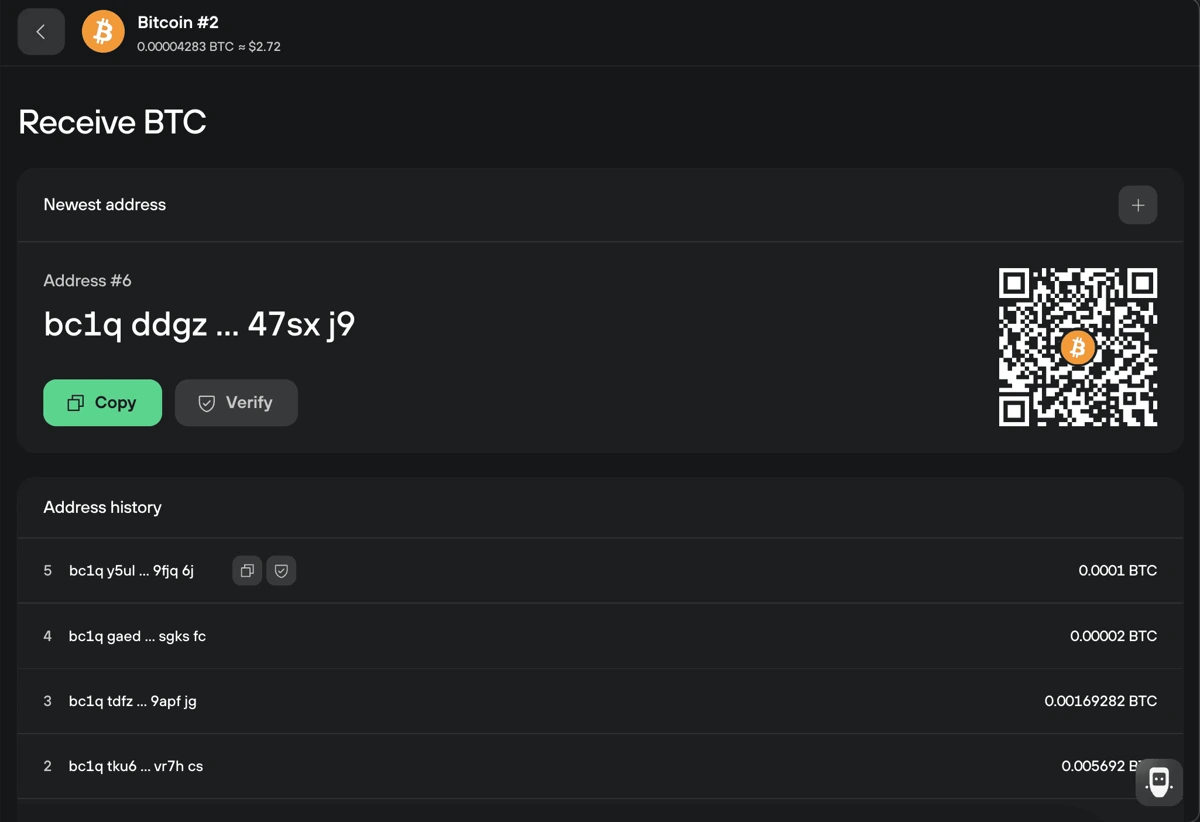
Trezor’s published Bitcoin receive screen showing the account, example address and Verify button.
Source: Trezor’s receiving guide. Example address and QR code belong to the instructional image. Obtain and verify your own address in your wallet.
1

Account: confirm the page is for Bitcoin, not another asset or network.

2

Address: get your own address from your wallet. Never copy an address or scan a QR code from an instructional image.

3

Verify: compare the address after pasting it with the device’s trusted display.

Verify the complete receiving address.

Open the receive function in your genuine wallet app, select the Bitcoin account and follow the prompts to display the address on the connected hardware device. Compare the complete address shown in the app with the address on the device’s trusted screen.

  • Confirm the account is for Bitcoin and the intended network.
  • Compare the complete receiving address with the address on your hardware device.
  • After copying and pasting, compare the complete destination again.
  • Stop if the addresses differ or the device shows an unexpected request.
  • Never share your recovery phrase or private keys to receive a purchase.

Ledger and Trezor both publish device-address verification instructions. App labels and screens can change, so use the manufacturer links below for the current interface. See our complete address-checking guide for the checks to repeat before approval.

Pause at the final address check.

0 of 5 preparation checks complete. This is not purchase approval.

Stop if the address differs, the network is unclear or someone asks for your recovery phrase. Confirm the destination with our team before approving your purchase.

Fund the purchase and review the final quote.

Create your request and complete the checks shown in your account. Use a bank account in your name and obtain the verified instructions for that purchase. The bank’s beneficiary and account details belong to the USD wire; your Bitcoin address belongs to the later delivery.

After your funds arrive, review the final price, applicable charges, BTC quantity and receiving destination before approving the purchase. A wire request or bank receipt does not lock the Bitcoin price.

Our standard starting wire service fee is 8% of the full wire amount. As your transaction volume grows, we can review your rate and may lower it individually. Confirm your actual rate before wiring. Review any other applicable deductions and your bank’s separate charge with the wire cost calculator. If you want a test delivery, ask whether it is available and what additional costs or steps would apply before agreeing to a purchase plan.

Review your final quote and charges before wiring.

Check delivery with the right record.

Keep bank records and Bitcoin records separate
StageRecord to useWhat it tells you
USD wireBank receipt and purchase referenceThe bank-side transfer information. It does not prove Bitcoin has been sent.
PurchaseApproved quote and purchase recordThe BTC quantity, costs and destination you reviewed.
Bitcoin deliveryBitcoin transaction IDThe on-chain transaction, destination and confirmation status.

Once Bitcoin has been broadcast, check the transaction ID on the correct network and compare the destination with your verified address. A wallet app may need to synchronize before showing a new balance. The hardware device does not need to remain physically connected for the network to receive Bitcoin at an address you control.

If there is no Bitcoin transaction ID yet, ask whether the purchase is awaiting review, approval or delivery. If the transaction is confirmed but the balance looks wrong, use our confirmed transaction troubleshooting guide.

Hardware-wallet delivery questions

Do I give Crypto Dispensers my recovery phrase?

No. Share the supported receiving address through the instructed channel. Keep the recovery phrase and private keys private.

Can I send the bank wire to my Bitcoin address?

No. Use the bank instructions for funding. The Bitcoin address is used for the separate crypto delivery.

Does an unplugged device prevent receipt?

No. Bitcoin transfers take place on the network. Use the manufacturer’s instructions when reconnecting and checking your account.

Can a wrong Bitcoin destination be reversed?

Do not rely on reversal after a transaction is sent. Verify the full destination before approval and contact official support immediately if you spot an error.

Current wallet instructions and purchase help

Reviewed October 14, 2026. Crypto Dispensers offers the services discussed here. Your account instructions, actual quote and applicable terms govern your purchase.

Our cover is a conceptual illustration, not a screenshot or a recommendation of a particular device. Contact our wire team to confirm the funding and destination steps for your request.

Ready to plan the bank payment? Use our Chase, Bank of America and Wells Fargo wire guide and review our Bitcoin wire purchase service before sending.

☎ Request a callback
Request a callback989-567-7414Call us346-847-1862Text us347-647-0518Text us

Optional guide · Bank wire guides

Prepare for a purchase, if you choose

Open stage 7

This is optional reading related to stage 7. Return to the course for its lesson, example and check.