
Selling crypto / Bank payouts
Have crypto or dollars in the Crypto.com App? Check the balance you can withdraw, then follow the bank-payment steps for your account.
By Crypto Dispensers · Published and reviewed
See the cash-out steps ↓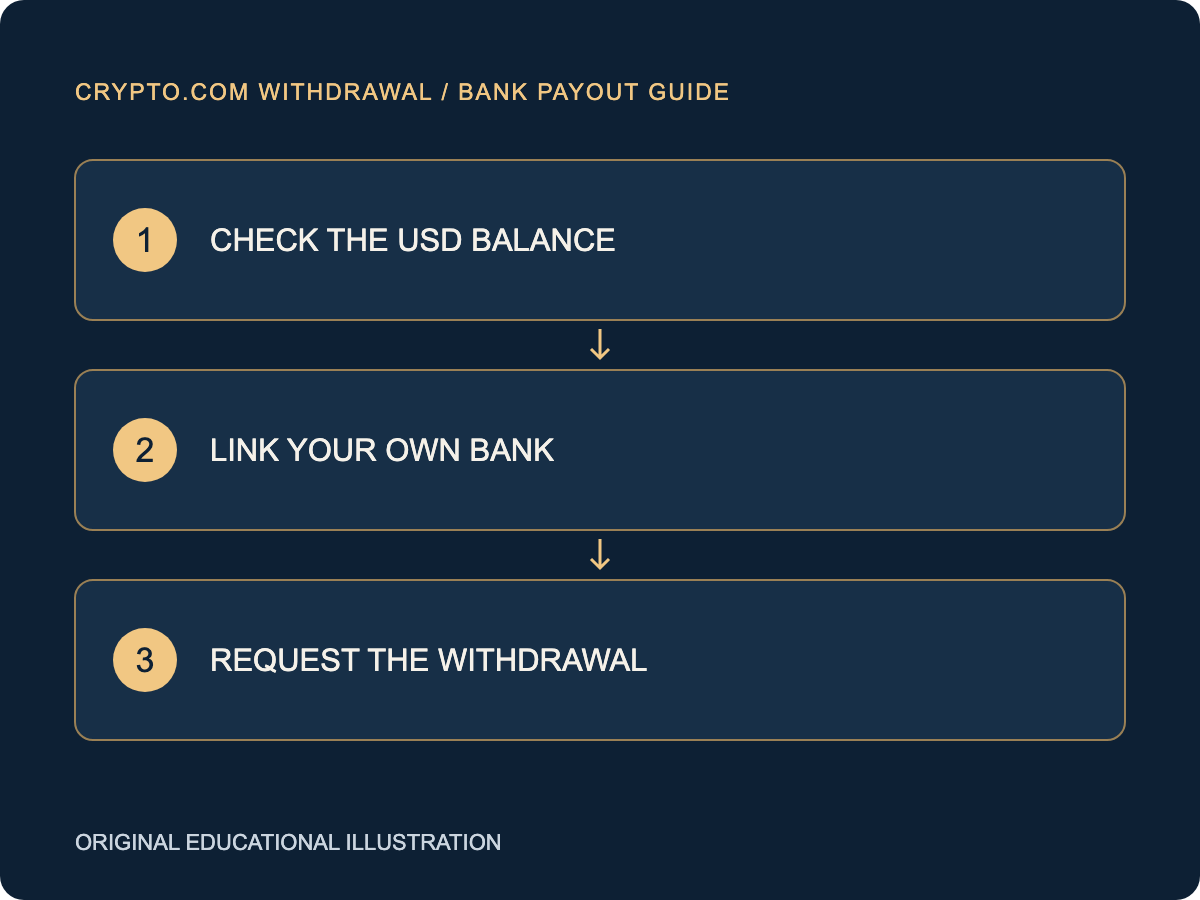
To withdraw money from Crypto.com to a bank account in the U.S., sell eligible crypto to your USD balance if needed, link a bank account and request an available USD withdrawal. For ACH in the Crypto.com App, open Accounts, then USD Account, and follow the withdrawal instructions shown.
This guide focuses on the U.S. Crypto.com App. Crypto.com Exchange and self-custody wallets have different screens and requirements. Confirm which product you are using before following a deposit or withdrawal instruction.
Our main guide to transferring crypto to a bank account covers the full process from choosing a selling provider to receiving dollars.
Open the Crypto.com App and check your USD Account. If your holdings are still crypto, review an eligible sale to cash. Check the resulting dollars available for withdrawal rather than relying on the portfolio value.
Review verification requests or withdrawal restrictions in your account. Keep the sale receipt and any information about funds that are still on hold.
Crypto.com’s U.S. App ACH instructions use Plaid to link a bank. Follow the secure account-linking flow and use an account whose name matches your Crypto.com account.
In the App, go to Accounts and your USD Account, then follow Transfer and Withdraw or the current equivalent. Choose the available bank method and the correct linked account.
Check the USD amount, destination, method, available limit and any displayed cost. Confirm only after the information matches your intended bank payment.
Save the confirmation and withdrawal reference. Check the provider’s status first; if it confirms submission, use the payment reference when asking your bank about receipt.
Choose the product and balance you are using. The App, Exchange and a self-custody wallet have different cash-out steps.
We compared the official U.S. Crypto.com App ACH guide with the Exchange ACH guide on November 2, 2026. The product distinction changes the menu and published minimum. Check the current request in your own account.
| Detail | Crypto.com App | Crypto.com Exchange |
|---|---|---|
| Where the withdrawal begins | Accounts, USD Account, then Transfer and Withdraw. | Wallet, USD row Withdraw, Bank Transfer, then ACH. |
| Published withdrawal minimum | $1 per transaction. | $100 per transaction. |
| Published charge wording | The App guide says Crypto.com does not charge for this ACH service; bank charges may apply. | The Exchange guide says no network fee applies, with possible USD Withdrawal Charges and bank processing fees. |
| Processing estimate in the cited guide | Use the current App request and matching support guidance. | The cited Exchange guide states a typical 1–3 business days for processing. |
Illustrative example: a portfolio is worth $500, including $350 of USD, and only $200 of that USD is available to withdraw. The relevant starting amount for a bank request is the available $200, subject to that account’s limits and costs. The $500 portfolio value also includes other holdings. These numbers are an explanation of balance categories, not a published Crypto.com rule.
| What you see | What to check |
|---|---|
| The bank will not link | Check the account-name match and the bank connection. Use Crypto.com’s current relinking guidance or official support. |
| The portfolio value exceeds withdrawable USD | Check whether the funds are crypto, available cash or subject to a hold. Complete the relevant sale or resolve the account restriction. |
| You followed Exchange steps in the App | Return to the official guide for the product you use and review the current USD withdrawal screen. |
Ask the provider which stage is outstanding and what action, if any, it needs from you. Keep the blockchain ID, sale receipt and payout reference together. Our delayed crypto-to-bank transfer guide explains how to follow up without duplicating a payment.
If your crypto is in a wallet you control, our self-custody cash-out guide covers deposit checks and signing. Use official support channels and keep recovery phrases and private keys private.
Save the product name, trade receipt, USD withdrawal reference and linked bank destination used for the actual payment. Include the status or restriction shown when asking Crypto.com for help. For U.S. reporting questions, see the IRS digital-asset guidance and your tax professional.
Review our current service and check the assets, networks, location requirements and bank methods offered for your account before sending. Our team can help you understand the steps for an available sale.
Review our crypto selling service →A fiat bank withdrawal uses a cash balance. If your holdings are still crypto, review an eligible sale into the appropriate USD balance first.
Crypto.com’s App ACH instructions require the bank account name to match the name on your Crypto.com account.
They have separate instructions and may have different limits, costs and processing details. Use the official guide for your product.
Research and tools by the Crypto Dispensers team. Documentation checked November 2, 2026. We offer crypto selling services and have a commercial interest in links to our service.
We compared the linked public provider instructions and used those findings to build the decision checklist and examples. We checked the tool’s results for supported, unsupported and uncertain inputs. Our review covers public documentation; account-specific quotes and completed bank payouts were not tested. The examples are illustrative and the educational diagrams are our own.
Confirm the current offer for your account, asset, network and location before sending. Our team can receive corrections or questions about this guide. We update the relevant instructions when verified provider changes affect the process.
Your Crypto Dispensers account
Create an account to see the services available to you. You can buy Bitcoin by wire, debit, credit or ACH, sell supported crypto for a USD bank payout, or exchange supported assets. Contact our team if you need help choosing a service.
Creating an account does not authorize a payment. Availability depends on your location, account and required checks.
Helping people access Bitcoin since 2017.
Privacy controls
Necessary cookies are always on so the site works. You can also allow analytics to help us improve the experience, and advertising cookies to measure campaigns and show more relevant ads. You can change this anytime.
Read our privacy policy